Materials panel

Overview
In the MATERIALS panel you can apply materials to your Rhino layers
When importing your model, automatic materials will be automatically applied.
You can easily change them anytime with the Choose another material button.

Maverick Excelsior provides a library with carefully calibrated precious materials:
| Library shelf | Description |
|---|---|
| ~100 gemstones | Diamond, Ruby, Sapphire, Topaz, Tourmaline, ... |
| ~60 metals | Platinum, White Gold, Yellow Gold, Rose Gold, Silver, ... + matte finishes |
| ~30 pearls | White, Tahitian, colored, ... |
| ~90 opaque enamels | Medium Temperature Enamels by Thompson Enamel |
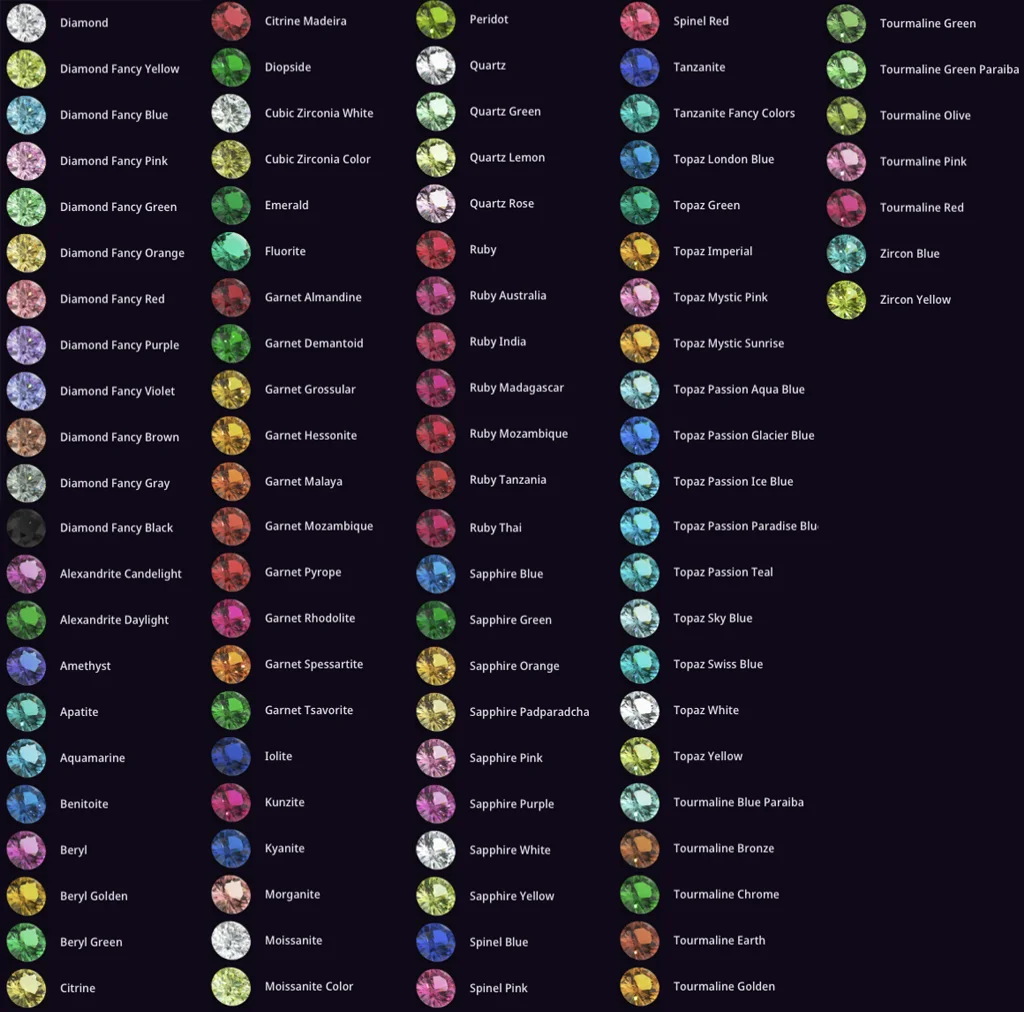
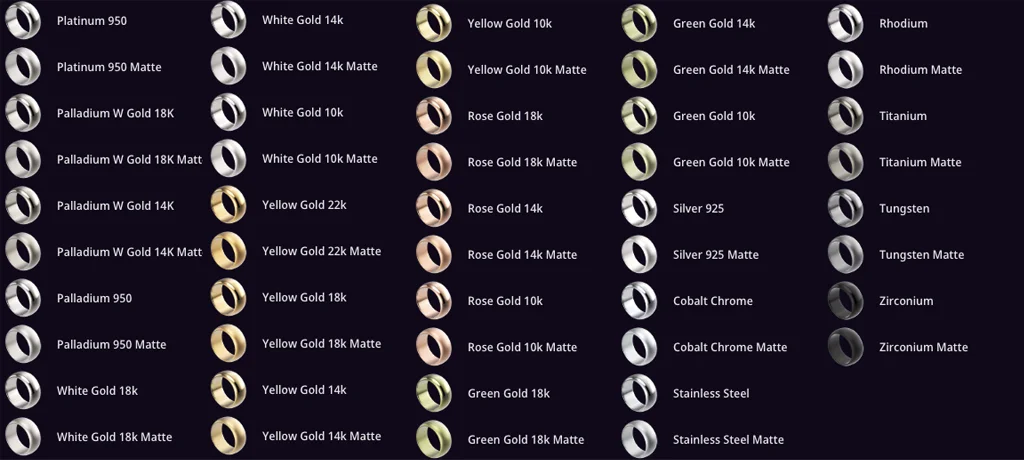
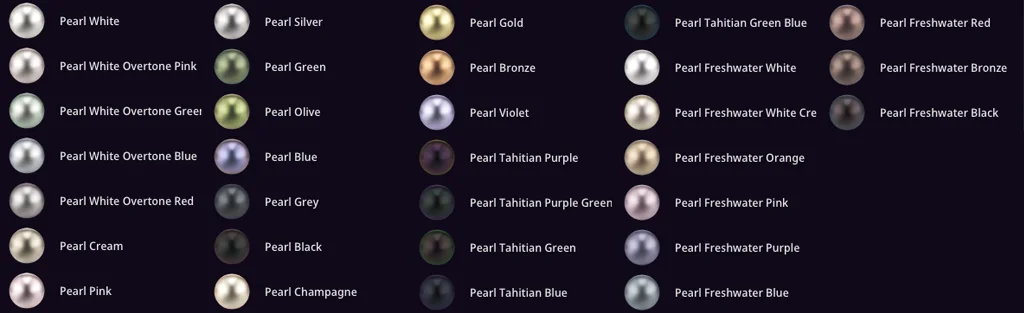

Color
Each material features a color selector where you can fine-tune saturation, brightness, and hue within physically-plausible ranges.

Roughness
In metals, the roughness slider controls polish: 0=mirror-like, 1=fully rough.
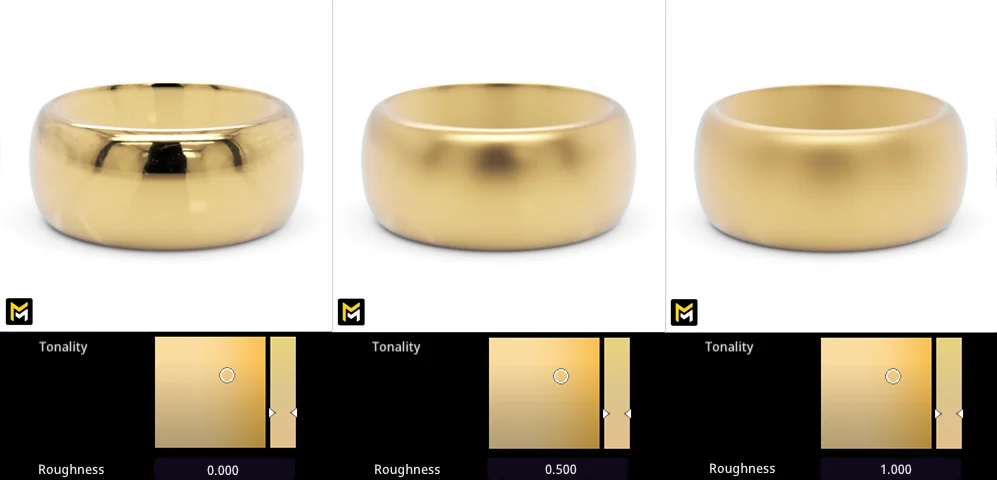
Absorption
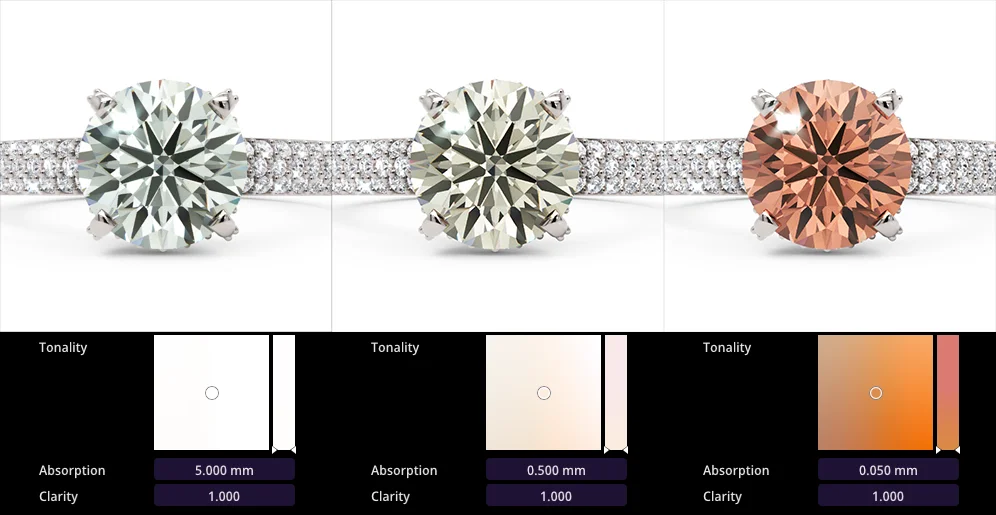
For gemstones, the physically-accurate absorption value sets light absorption depth.
Clarity
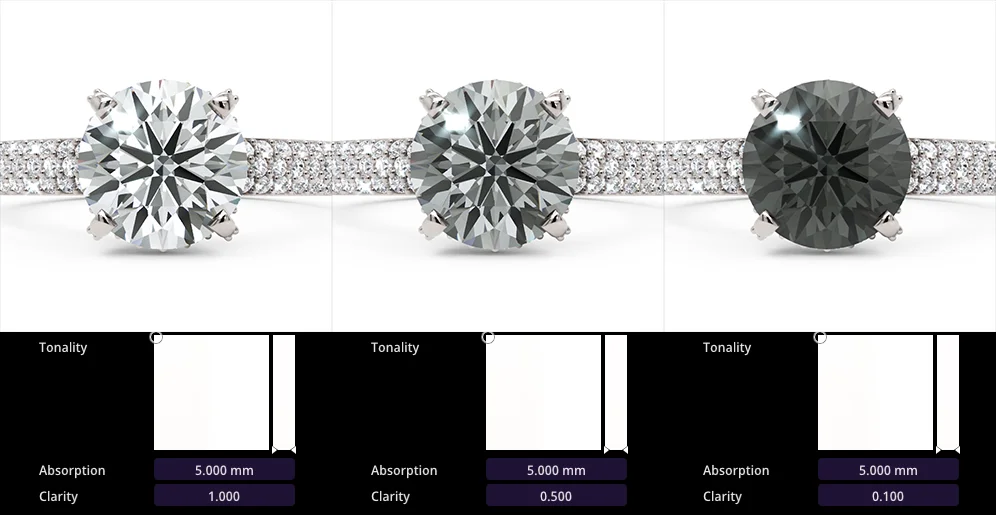
The clarity slider darkens gems without altering their saturation.
Important
Excelsior automatically suppresses intersecting geometry (e.g., prongs invading gemstones).