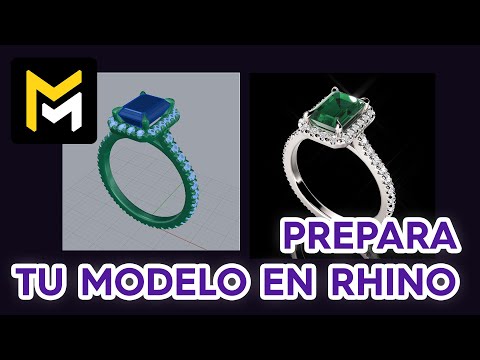
Preparing your 3D model
Overview
Maverick Excelsior imports 3D jewelry models in McNeel Rhino's native 3DM format.
To guarantee a successful import, please ensure your 3DM files meet the requirements detailed below.
Note
In general, designs authored in Matrix, MatrixGold, or RhinoGold will import fine without any extra steps.
Layers
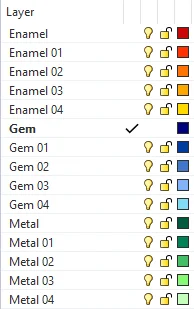
Maverick Excelsior infers the material family for each object based on the layer organization (naming) in your model:
- Gem objects must be children of the Gem layer.
- Metal objects must be children of the Metal layer.
- Pearl objects must be children of the Pearl layer.
- Enamel objects must be children of the Enamel layer.
You can create as many layers as you need to properly separate your materials.
For example, this is a valid Excelsior-friendly organization in Rhino:
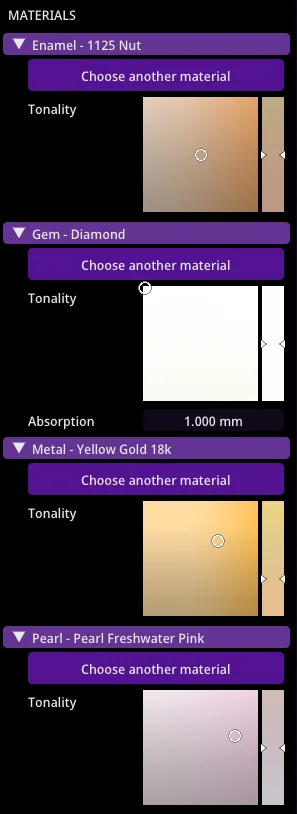
Once imported in Maverick Excelsior, a matching material will be attached to each layer present in Rhino.
Note
- Layers containing words such as Diamond or Emerald will also be interpreted as Gem materials.
Note
- Layers containing words such as Setting, Object, Heads, Finger, Cutting, Creation, or User will be interpreted as Metal materials.
Note
- Layers containing words such as Plastic, Diffuse, Lambert, or Lambertian will also be interpreted as Enamel materials.
Placement
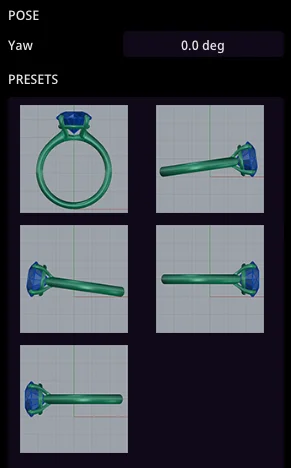
Position your model vertically, centered at the origin of coordinates (0,0,0).
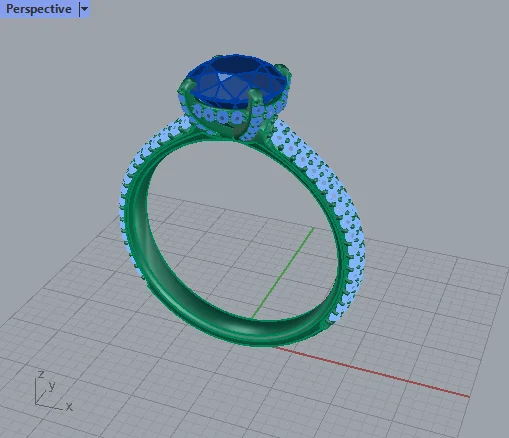
Ideally, the model should face the Y axis as shown above.
However, if your images or videos must not feature your model in vertical position, you can make it rest on the floor using the Maverick Excelsior POSE panel.
Save as 3DM
Once your model meets these requirements, just save it as 3DM.
Warning
Make sure to not use the Save Small option, as the 3DM file must carry Rhino's meshing of the model.
YouTube tutorials
Below are video guides covering the recommended Rhino-specific preparation steps before importing your Jewelry 3DM file into Maverick Excelsior.
These precautions apply only to models built directly in Rhino. Files authored in Matrix, MatrixGold, or RhinoGold generally require no extra preparation.
Available also in Spanish: